$29·6 lessons·90 minutes·Lifetime access

Get SharePoint right.
Then let Copilot in.

A 90-minute fundamentals course for the people running SharePoint without ever being properly taught it. Six lessons. Everything you need to build a site Copilot can actually work with.

Get the course$29Instant access · Lifetime · Free community included
Why this matters

Copilot reads SharePoint. If your SharePoint is a mess, that's what it reads.

Microsoft has shipped Copilot, AI in SharePoint, agents, and Skills. All of it sits on the same foundation. Your sites. Your libraries. Your lists. Your metadata.

When that foundation is solid, Copilot is sharp. It finds the right document. It cites the right source. It runs against clean, predictable data.

When the foundation is wrong, and most are, Copilot guesses. It pulls from the wrong site. It cites a draft. It quotes a five-year-old policy because nobody set the metadata.

The fix isn't a bigger model or a better prompt. The fix is the fundamentals. That's what this course teaches.

What's inside

Six lessons. The whole foundation.

Ninety minutes of video covering all six. Demonstrated in a live SharePoint tenant, from blank. No slides.

Site anatomy and permissions

Lesson 01

How a SharePoint site is structured, who can do what, and the permission model that flows underneath everything else. Get this right and the rest of the course makes sense. Get it wrong and you will spend years wondering why things break.

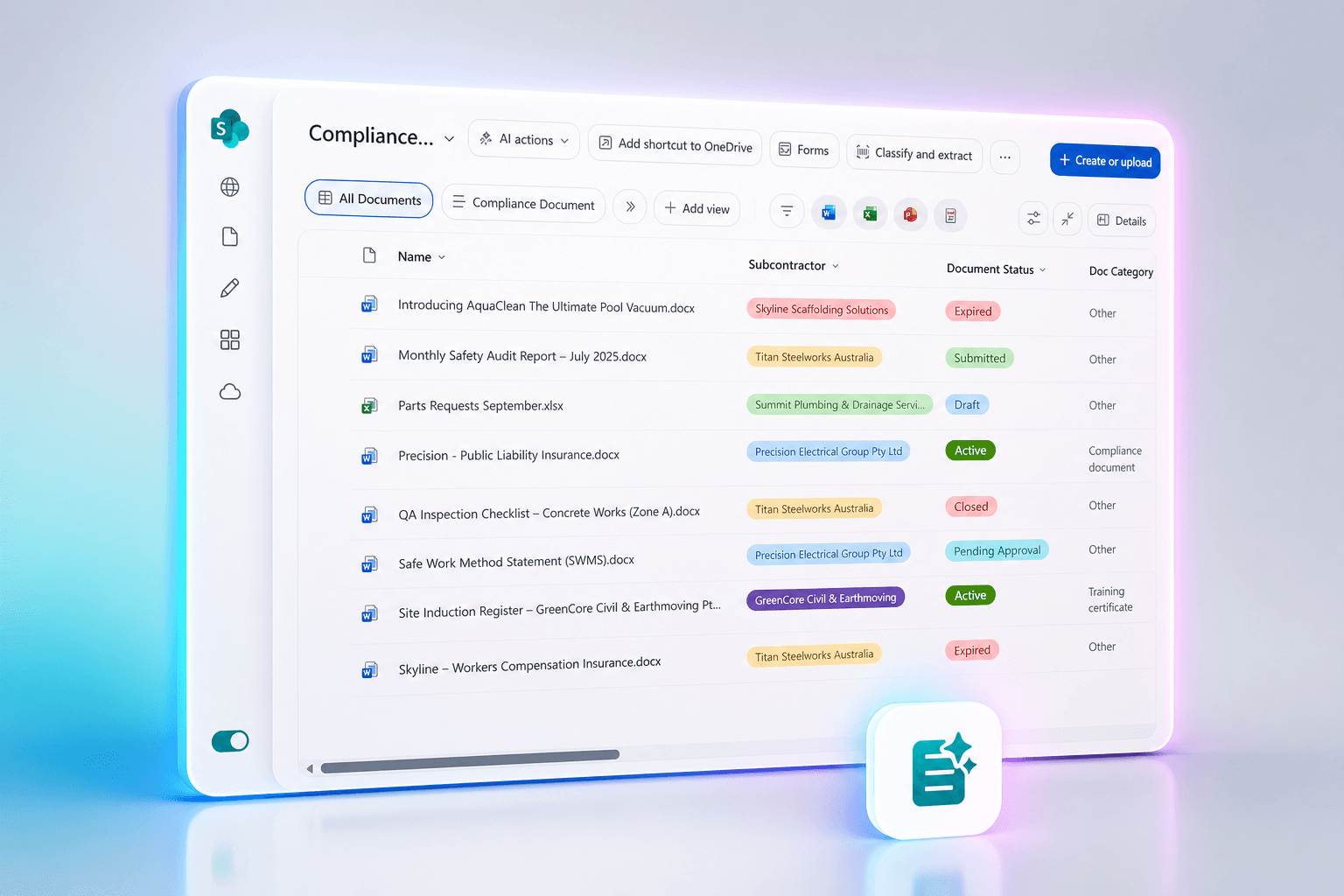
Document libraries built for Copilot

Lesson 02

Columns, views, metadata, versioning. The library is what Copilot reads when it answers a question. This lesson shows you how to build one Copilot can actually work with.

Pages, web parts, and news

Lesson 03

Modern templates. Flexible sections. The web parts worth using. How to publish news that lands in inboxes and Teams without copy-paste. Sites that do not look like 2014.

Microsoft Lists

Lesson 04

Where the data behind your business actually lives. Forms, views, workflows. The grown-up replacement for the spreadsheet on someone’s desktop.

Content types and site columns

Lesson 05

Information architecture. The standardisation layer most teams skip. Build it once, reuse it everywhere. The lesson that turns you from a SharePoint user into a SharePoint owner.

Workflows and quick steps

Lesson 06

The automation layer. Notify a Teams channel when a list item lands. Set values with a click. One-button approve columns sitting on your library. SharePoint that does work, without writing code.

6 lessons. 90 minutes. Lifetime access. New material added as Microsoft ships it.

How it works

Buy. Watch. Build. In your tenant.

No fluff. No theory. Ninety minutes of video and a blank SharePoint site open in another tab.

01

Buy the course

$29, one-time. You're in within seconds. Lifetime access from the moment you pay.

02

Watch the lessons

Ninety minutes of video covering six lessons. Self-paced. Watch start to finish or jump straight to the section you need.

03

Build it in your tenant

Every concept is demonstrated live, in a real SharePoint site, from blank. Open your own tenant alongside the video and follow along.

What you'll be able to do

By the end of the ninety minutes.

  • Build a SharePoint site from scratch and know what every part of it is for
  • Get permissions right so the right people, and the right AI, see the right content
  • Build document libraries Copilot can actually work with
  • Make pages and news that look modern, in minutes
  • Replace messy spreadsheets with Microsoft Lists that drive real work
  • Standardise documents and metadata across your whole tenant
  • Stop being the person who clicks around in SharePoint hoping nothing breaks
Who's teaching

I teach this before every Copilot engagement.

I'm Daniel Anderson. I run an AI solutions firm called ShiftF5.ai. Microsoft Partner. I'm in client SharePoint tenants every week, building, fixing, and rolling out AI on top of them.

Every Copilot project I've ever delivered has started with a quiet conversation about the SharePoint underneath. Most teams don't have it right. Most have never been taught the fundamentals, because Microsoft doesn't ship a “here's how SharePoint actually works” course.

So I made one. Six lessons. Ninety minutes. Built from the same teaching I do at the start of every engagement, packaged so you can do it without paying for the consulting.

  • Microsoft Partner, twenty years on the platform
  • Rolling out Copilot, AI in SharePoint, and Skills in client tenants every week
  • Every concept demonstrated in a live tenant, not slides
  • Updated as Microsoft ships new SharePoint capabilities

Daniel Anderson

Founder, ShiftF5.ai · Microsoft Partner

Twenty years watching tech rollouts land badly because someone optimised the wrong layer. SharePoint and Microsoft 365 since the early days. Anthropic and Claude for the work Copilot alone can't carry.

Course format6 lessons · 90 minutes · Lifetime accessSelf-paced video. Watch in any order. Updated as Microsoft ships new features.
Built in a blank SharePoint Online tenantModern experience. Microsoft 365. Recorded in 2026.
Free seat in the SharePoint Lab communityHosted on Circle. Same place the course lives. Bundled with every purchase.
Connect on LinkedIn
FAQ

Common questions.

Do I need a Copilot licence to follow along?

No. The course teaches SharePoint fundamentals, which work the same with or without Copilot. A few demos show what changes when Copilot is enabled, so you can see how the foundation feeds the AI layer.

Is this for beginners?

It is for anyone who runs, owns, or supports SharePoint and was never properly taught the model underneath it. Brand new to SharePoint? You will be fine. Five years in but never had content types explained? You will be fine. Career SharePoint admin who can recite the docs? Probably not the course for you.

Which version of SharePoint is this for?

SharePoint Online, the modern experience, on Microsoft 365. Recorded in 2026.

Do I keep access forever?

Yes. One payment, lifetime access. Watch as many times as you like. If Microsoft ships a major change, the course gets updated and you get the update.

What is the free community?

A free seat in the SharePoint Lab community on Circle, where the course also lives. Ask questions, see what others are building, get a heads-up when new lessons land.

How long does the course take?

Ninety minutes of video covering six lessons. Most people finish it in an afternoon. Rewatch anything as often as you need.

Is there a refund?

No refunds. Twenty-nine dollars, lifetime access. Read the full lesson list on this page, watch the trailer if there is one, and decide before you buy.

What about Power Automate or Power Apps?

Out of scope. The course covers list workflows and quick steps inside SharePoint itself. Power Platform is a different course.

Ninety minutes from now, you'll know SharePoint properly.

One payment. Lifetime access. Free community included. Then you can stop guessing and start building.

Get the course$29

Instant access · Lifetime · No refunds

P.S. Copilot is going to keep getting sharper. The teams whose SharePoint is solid will keep pulling ahead. The teams whose SharePoint is a mess will keep wondering why their AI is dumb. Twenty-nine dollars decides which side you're on.